The Complete Guide to CRM for Museums and Cultural Institutions
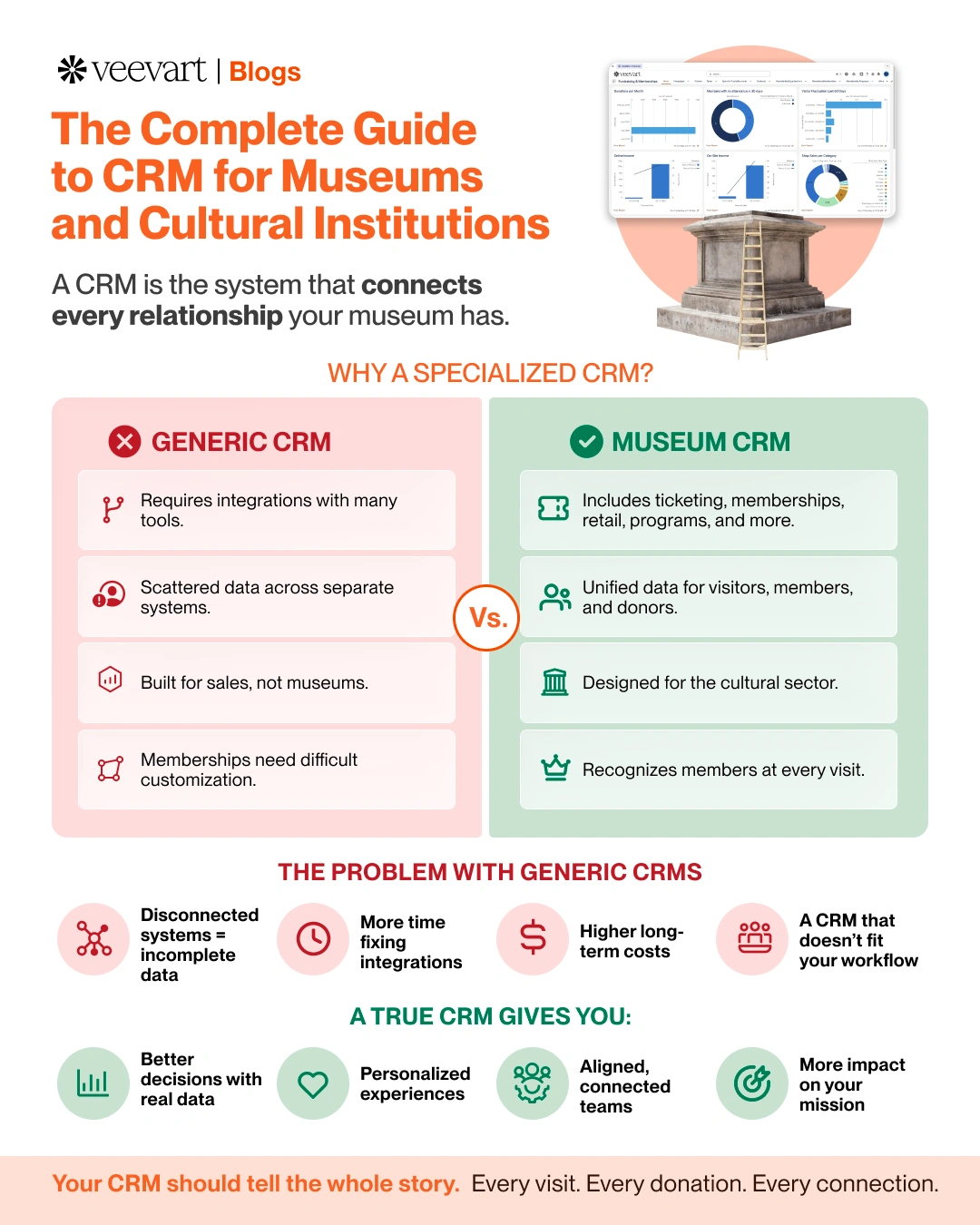
Most museums don't decide to build a fragmented technology operation. They arrive at one. A ticketing system goes in because the website needs to sell tickets. A donor database comes later and from a different vendor, because the ticketing tool can't handle fundraising. Memberships live in another place. The gift shop runs on whatever came with the card reader. Each decision made sense on the day it was made. Together they produce an institution where the visitor, the member, and the donor are three separate records that have never been introduced to each other. Even when they are the same person.
This guide is about the system that is supposed to solve that: the CRM. But not CRM as most software companies define it. A sales pipeline tool repurposed for nonprofits. CRM as a cultural institution actually needs it: a single, connected record of every relationship the museum has, across ticketing, membership, fundraising, retail, programs, and collections.
If you're evaluating a CRM, switching from a legacy system, or trying to get more value from one you already have, this is the comprehensive version of what matters and why. It's long, because the topic is. Use the section headers to navigate to what you need.
What a Museum CRM Actually Is

A museum CRM is the single system of record or source of truth for every relationship a cultural institution has such as a visitor, member, donor, volunteer, or a student. With every interaction flowing into one profile per person. A ticket purchase, membership renewal, donation, program registration, or shop purchase each tells part of a visitor’s story. When connected, they reveal the full relationship someone has with your institution.
That's the part the borrowed term obscures. CRM comes from the commercial world, where it means software that tracks sales leads through a pipeline toward a purchase. But a cultural institution doesn't have customers closing deals. It has a community whose relationships deepen, lapse, and evolve over years. These are first-time visitors who become members, members who become donors, and donors who bring their grandchildren to a summer program.
The distinction that matters most is between a CRM that is only a donor database and one that unifies the full operation. Many museums have the first and believe they have the second. They track gifts well, but ticketing, membership behavior, and retail activity live in separate systems the CRM can't see. The result is a donor record that knows what someone gave, but nothing about how they actually engage with the museum. Which is exactly the information that would make the next conversation more effective.
A true museum CRM closes that gap. A CRM is not just a database. It acts as the central system that helps every department understand and engage with the same audience through a shared, complete view.
Museum CRM vs. Generic CRM
Museum CRM | Generic CRM |
Built for memberships and recurring relationships | Built for sales pipelines that close |
Native ticketing, POS, and program support | Requires third-party integrations |
Donor and visitor data in unified profiles | Often separate, disconnected systems |
Designed around museum workflows | Designed around general business workflows |
Collections management available | No concept of collections |
Member recognition at every touchpoint | Membership is a custom build |
Why Generic CRM Tools Fail Cultural Institutions
The temptation for a budget-conscious institution is to adopt a general-purpose CRM, a standard Salesforce configuration, HubSpot, Zoho, or a basic nonprofit donor tool, and make it work. These platforms are powerful, widely supported, and often available to nonprofits at a discount or for free up to a certain number of users. On paper, the math is appealing.
In practice, generic CRM platforms often fall short for museums because they were designed for a completely different type of relationship.
A sales CRM is organized around a transaction that closes. Museum's relationships do not close, they continue. Memberships renew annually. Donors are cultivated over decades, and families return generation after generation. None of these fit a pipeline model:
The membership that renews year after year
The donor cultivated patiently over a decade
The family that comes back every school break
Forcing these relationships into a pipeline means constant customization, workarounds, and a system that fights the way the institution works rather than supporting it.
The deeper failure is in what generic tools leave out. A museum typically needs:
Timed ticketing and admissions
Membership tiers and benefits
Point-of-sale for the shop
Event and program registration
School Groups Management
Facility rentals
Collections management
A generic CRM has none of these out of the box. To fill those gaps, institutions often rely on multiple third-party tools for ticketing, events, and retail. Instead of creating a unified system, the CRM becomes another collection of disconnected platforms that require costly integrations and ongoing maintenance.
This is why the build-it-yourself-on-Salesforce approach, as attractive as it looks, so often disappoints. The platform is manageable. But without museum-specific functionality built in, the institution pays in consulting fees, admin time, and workarounds to construct what a purpose-built museum CRM provides from day one. (For a deeper look at how disconnected systems accumulate and what they cost, see Why Museum Data Lives in Too Many Places )
The Real Cost of Fragmented Systems
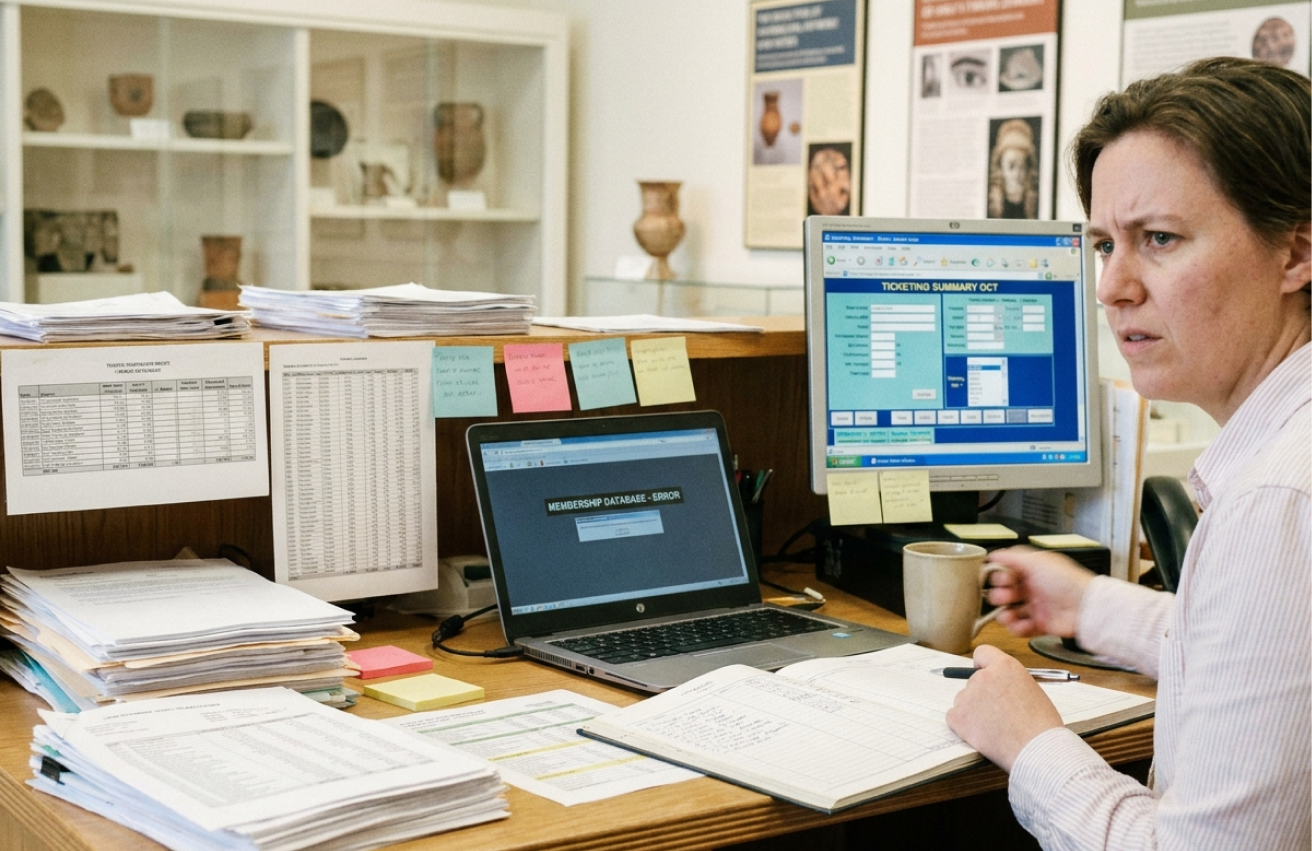
The case for a unified CRM is usually made on efficiency, but the efficiency argument undersells the problem. The deeper cost of fragmentation is not the hours. It is the decisions made on incomplete information, and the questions that never get asked because the answer is too expensive to produce.
The hours are real, of course. According to the Museum Innovation Barometer, roughly 45% of museums operate without a fully integrated system, relying on separate tools for online and on-site operations.The fragmentation this creates forces staff to spend valuable time matching exports, resolving duplicate records, and building reports manually. Depending on the size of the institution, those tasks can consume anywhere from 30 minutes to 3 hours every day. On a connected system, much of that work is automated and instantaneous.
But the strategic cost is larger and quieter. When a development director needs to know which members also donated this year. And that answer requires exporting from two systems and matching them by hand. Well that report gets built only when the stakes justify the effort. The mid-year check-in that would have caught a lapsing major donor doesn't happen, because pulling the list is a two-hour project. The institution operates on a fraction of the intelligence it actually has, because the cost of assembling that intelligence is too high.
There is also a trust cost. When reports are assembled manually across systems, the people presenting them know they might be wrong, and they hedge. The membership numbers come with a caveat about lag. The attendance figure comes with a question about whether the school group is included. Leadership makes decisions on data nobody fully trusts, which is its own kind of expense. (This dynamic is explored in depth in The Reporting Problem Most Museums Don't Realize They Have.)
The Core Capabilities a Museum CRM Should Have
If your team is still stitching together spreadsheets, ticketing software, and a donor database that don't talk to each other, the fix isn't another point solution. It's a system built for the way museums actually work. That's exactly what crm for museums looks like when it's done right: one platform connecting visitors, members, and donors from day one.
Not every institution needs every module, but a genuine museum CRM should be able to handle the full range of cultural-sector operations within one connected system. Here is what to look for, and why each matters.
Constituent management. The foundation. A single profile per person that consolidates every interaction, visits, gifts, memberships, purchases, program attendance, into one view. This is what makes everything else possible: empowering museum teams with centralized systems instead of forcing every department to work off its own partial picture. Without it, every other capability is just another silo.
Membership management. Individual and family memberships, tiered benefits, automated renewals, and, critically, membership recognition at every touchpoint, including the front desk and the shop. Membership is the backbone of most museums' recurring revenue, and a CRM that manages it well, with renewal behavior visible alongside engagement data, directly affects retention. (See Why Museum Membership Programs Stall for how engagement data changes renewal outcomes.)
Fundraising and development. Fundraising should bring together donation processing, campaign management, donor segmentation, grant tracking, and pledge management in one connected system. This allows gift officers to see not only giving history, but also visit frequency, program attendance, and membership behavior. (See How Ticketing Data Can Drive Museum Fundraising for why this connection changes the cultivation conversation.)
Ticketing and admissions. Online and on-site ticketing drawn from the same real-time inventory, with timed entry, member pricing, and group sales. The online and on-site split is one of the most common and costly fragmentation points in museums. (See Online vs On-Site Ticketing for what the gap costs at the front door.)
Point of sale and retail. An integrated shop POS that recognizes members, applies discounts automatically, tracks inventory in real time, and logs every transaction against the buyer's record. Turning retail from a standalone revenue line into a source of engagement data. (See Managing Museum Retail for how an integrated POS reduces manual work.)
Events and program management. Registration, capacity and waitlist management, facility rentals, and post-event follow-up, all flowing into constituent records. (See From Event Chaos to Event Strategy for how centralized program management turns events into relationship intelligence.)
Collections management. For collecting institutions, systems should support cataloging objects, managing exhibitions and loans, and adhering to standards like Collections Trust. Ideally, this happens within the same platform that stores constituent data so collections and audience engagement can be understood together.
Reporting and analytics. Built-in dashboards should pull data from every part of the system, turning reports like attendance versus revenue, membership conversion, and donor engagement into simple queries instead of manual reporting projects.
How to Evaluate a Museum CRM
Choosing a CRM is a high-stakes, multi-year decision, usually made by a committee. Operations, development, finance, and executive leadership all have a stake. Here are the questions that actually separate the right system from the wrong one.
Is it museum-native, or museum-adjacent? Ask whether the ticketing, membership, POS, and program features are built into the core product or assembled from third-party integrations. Integrations break, add cost, and reintroduce the fragmentation you're trying to escape.
Does the data truly unify? Ask to see a single constituent record that shows a ticket purchase, a membership, a donation, and a shop transaction in one view. If the demo can't show that easily, the unification isn't real.
What does implementation actually involve? Ask how long it takes, who leads it, and what's expected of your team. A good vendor provides guided implementation with a dedicated expert. (Adoption is where many CRM investments succeed or fail: see The Museum Change Management Playbook.)
How does it scale and stay secure? A CRM built on an enterprise platform inherits enterprise-grade security and scalability, an important reassurance for boards and IT stakeholders evaluating a smaller vendor.
How hard is it to get your data out? A trustworthy vendor makes data export straightforward. Ask directly: if we wanted to leave in three years, how hard would it be to take our data with us? The answer tells you a lot about the relationship you're entering.
What is the total cost, not just the license fee? Account for implementation, data migration, training, and any add-on integrations. A low per-seat price that requires three third-party tools to function isn't the bargain it appears to be.
Is your platform ready for AI, and Agentic Work: The way we curerntly work is already changing, we will do work with Agents, and your platform needs to be ready for it. We envisioned that sooner than later we’ll be no longer filling forms in a system, but just talking to them and they doing the work. They will ask questions that will make us think, and offer actions that can improve the quality of our work and our relationships
Implementation and Adoption: Where Value Is Won or Lost
The most common mistake in CRM projects isn't choosing the wrong system. It's treating the rollout as a technical project when it's actually a behavioral one.
A museum can buy the best CRM available and still end up with staff running shadow spreadsheets, inconsistent data, and a team quietly insisting the old way was easier. The software didn't fail. The transition did. Adoption depends less on features than on whether the institution fully switches, whether it cuts off the parallel systems, trains in real workflows, and gives staff the time and support to move from the old way to the new one.
This matters because the value of a CRM is entirely downstream of adoption. An unadopted system is worse than the fragmented setup it replaced, because now there are two sources of truth instead of one. The institutions that get the most from their CRM are the ones that plan the human side of the transition as carefully as the technical side. (The full playbook for this is in The Museum Change Management Playbook.)
How to Measure the Value of a Museum CRM
Once a CRM is in place and adopted, how do you know it's working? The wrong metrics, login counts and training completion, tell you nothing. The right ones connect to the outcomes the institution actually cares about.
Operational efficiency. Has the daily reconciliation work disappeared? Are reports a query rather than a project? Staff hours recovered from manual data work are the most immediate and measurable return.
Membership retention. Engaged members renew at rates as high as 60% to 70% and stay for years longer than disengaged ones. A CRM that surfaces engagement data, and lets you act on it before a member lapses, should improve renewal rates measurably over time. Given that acquiring a new member costs 5 to 25 times more than retaining one, retention improvement is where much of the financial return lives.
Fundraising effectiveness. Are gift officers working with the full engagement picture? Are conversion-ready prospects becoming visible without manual research? Better-targeted, better-timed asks should show up in response rates and average gift size.
Decision confidence. A softer but equally important measure: does leadership trust the data? When the caveats disappear from board reports, when numbers are presented without hedging, that is a sign the reporting infrastructure is finally doing its job.
AI Native or AI Ready. An investment on a platform that is not AI native or AI ready might be a waste of an investment later on
The throughline across all of these is that a CRM's value is not in the features it has. It is in the decisions it enables: better, faster, and grounded in a complete picture rather than a partial one.
Where to Start
If you're early in this process, you don't need a full system audit to begin. Start with a single question: what is the report you need most often that you currently can't produce without manual assembly? That report is your proof of concept. It points directly at the fragmentation that's costing you the most, and it gives you a concrete way to evaluate whether a new system would actually change anything.
The decision itself is only the starting point. The real challenge lies in understanding what to prioritize, how to evaluate effectively, how to implement successfully, and how to measure impact over time. The child resources linked throughout explore each topic in greater detail.
The data your institution holds is one of its most valuable assets. For most museums, it's an asset partitioned across too many systems to fully use. A chosen well and adopted museum CRM is how that changes. Not by giving you more data, but by finally letting you use the data you already have to serve your visitors, retain your members, and advance your mission.
Veevart is a museum-native CRM built on Salesforce, unifying ticketing, membership, fundraising, retail, programs, and collections in one platform purpose-built for cultural institutions. Book a demo to see what unified looks like for your museum.
Frequently Asked Questions
What is a museum CRM?
A museum CRM is a customer relationship management system designed specifically for cultural institutions. Unlike a generic CRM built for sales, a museum CRM unifies ticketing, membership, fundraising, retail, rentals, camps, program registration, and often collections management into a single platform with one connected profile for every visitor, member, and donor. It functions as the institution's system of record for every relationship and interaction.
What's the difference between a CRM and a ticketing system?
A ticketing system handles one function: selling and managing admissions. A CRM is broader. It connects ticketing to membership, donations, retail, and programs so that a ticket purchase becomes part of a complete picture of who someone is to the institution. A standalone ticketing system records that a transaction happened. A CRM records who made it, what else they've done, and what the relationship looks like over time. In a true museum CRM, ticketing is one capability within the larger system rather than a separate tool.
How much does a museum CRM cost?
Pricing varies by platform and institution size, but museum CRMs are typically priced as an annual subscription, often on a per-user basis. Purpose-built museum platforms generally fall into a mid-range bracket: more than a barebones donor database, but less than the high total cost of legacy enterprise systems. When comparing costs, account for the full picture: implementation, data migration, training, and any third-party integrations a generic tool would require to match a purpose-built one. A low per-seat price that needs several add-on tools to function is rarely the bargain it appears to be. Many museums that qualify as nonprofits can also access discounted or donated licensing on the underlying platform, which lowers the effective cost.
Can a small museum afford a CRM?
Yes, and small institutions often have the most to gain. A small museum without dedicated IT staff benefits most from a system that works out of the box and replaces several disconnected tools. Nonprofit licensing programs on platforms like Salesforce provide free user licenses up to a certain number of seats, which keeps entry costs manageable. The relevant question for a small museum is not whether it can afford a CRM. It is whether it can afford the staff hours and lost intelligence that fragmentation costs.
How long does it take to implement a museum CRM?
Implementation typically takes several weeks to a few months, depending on the institution's size, the complexity of its data, and how many systems are being consolidated. The technical work, configuration and data migration, is only part of it. The more important variable is adoption: how fully the team transitions to the new system. A guided implementation with a dedicated expert shortens the timeline and significantly improves the odds of success. (See The Museum Change Management Playbook for how to manage the transition.)
What's the difference between a museum CRM and Blackbaud or generic Salesforce?
Legacy systems like Blackbaud Altru are purpose-built for cultural institutions but are often criticized for high cost, dated interfaces, and limited flexibility. Generic Salesforce is powerful and flexible, but it is not museum-specific out of the box. It requires significant customization or third-party apps to handle ticketing, membership, and retail. A museum-native CRM built on a modern platform aims to combine the strengths of both: the museum-specific functionality of a vertical system with the flexibility, security, and scalability of an enterprise platform, without the legacy drawbacks.
Do we need collections management in our CRM?
It depends on your institution. Collecting institutions, such as art, history, and science museums with objects to catalogue, benefit significantly from having collections management in the same system as constituent data, so engagement and collections can be understood together. Non-collecting institutions like children's museums or science centers may not need it. The advantage of a platform that offers it is the option to unify that data if and when you need to, rather than running a separate collections system in parallel.
How do we know if our current system is holding us back?
Common signs include: staff spending hours each week reconciling data between systems, reports that take days to assemble and still come with caveats, membership and donor data that live in separate places, an inability to answer basic questions about visitor behavior without a manual project, and workarounds that only specific staff members know how to perform. If any of these sound familiar, the cost of the status quo may already exceed the cost of consolidating. (See Five Signs Your Museum Has Outgrown Its Current CRM for a fuller diagnostic.)